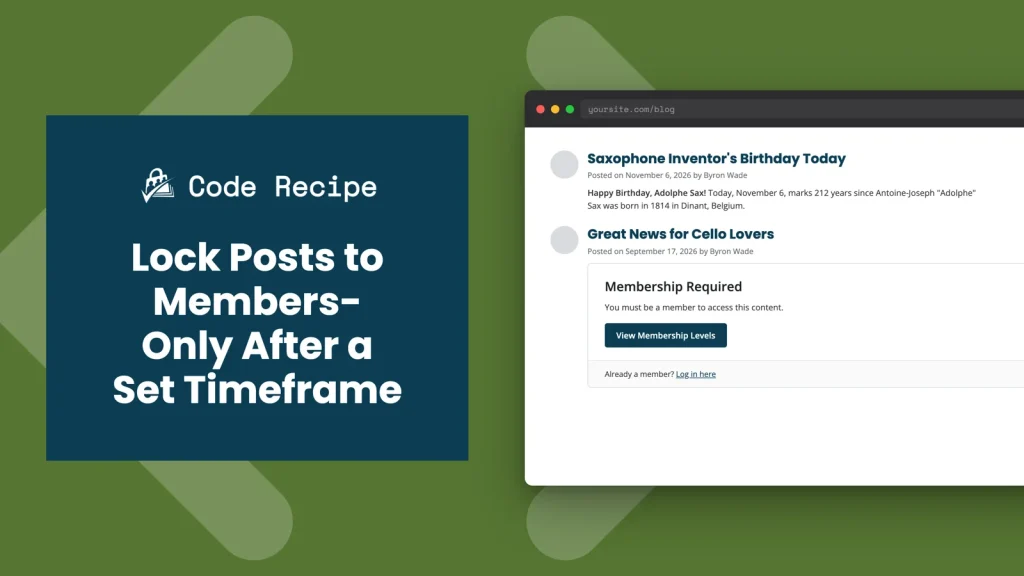
By default, Paid Memberships Pro locks a post to members as soon as it publishes. This recipe changes that: a restricted post stays publicly viewable for a set grace period after it goes live, then locks to members once that window closes.
This is useful if you want non-members to sample new content before deciding whether to join. A nonprofit might let anyone read a new article for the first day, giving it a chance to get shared and indexed, before folding it into the members-only archive. A course creator might do the same with a new lesson to build interest ahead of enrollment. The example below uses a 24 hour window, but you can set it to any length.
Do You Need This Recipe?
This recipe is most useful if any of the following apply to your site:
- You want restricted content to be publicly shareable for a short time after it is published, to build traffic or get it indexed, before it locks to members.
- You want to give visitors a preview period on new content so they can evaluate it before signing up.
- You already restrict a post or page to one or more membership levels, and want that restriction to kick in on a delay instead of immediately.
This recipe is not the same as the Content Drip Add On, which releases content to existing members on a schedule after they join. If what you need is a reverse rule, several per-post timeframes, or a sitewide cutoff date instead of one simple grace period, see Related Reading below.
Best Practices and Considerations
- The grace period applies the same way to every restricted post. This snippet does not vary the delay by membership level. See “How to Customize This Code Recipe” below if the timeframe needs to depend on which levels a post requires.
- The timer runs from the post’s publish date, not from when a given visitor first saw it. If you import or backdate a post, the grace period is calculated from that backdated publish date, which may mean the post is already past its window the moment it goes live.
- This only affects posts that are already restricted to one or more membership levels. If a post has no level restriction, PMPro already allows access and this snippet has nothing to do.
Keep your callback lightweight. This filter runs on every page load for every restricted post, so avoid adding database queries or other expensive lookups inside it.
Understanding the pmpro_has_membership_access_filter Hook
This recipe works by hooking into pmpro_has_membership_access_filter, the filter PMPro uses to make its final access decision for a post. It runs on every page load where PMPro checks access, and your callback can override the result.
The filter passes four arguments:
$hasaccess(bool): PMPro’s default access decision before your callback runs.trueif the current user already has access,falseif they do not. Always check this first. If it is alreadytrue, return it unchanged.$thepost(WP_Post): The post object being checked, including its publish date.$theuser(WP_User): The current visitor, logged in or not.$post_membership_levels(array): The membership level IDs required to view this post.
Returning true from your callback grants access regardless of the levels the post requires, so the recipe below checks $hasaccess first and only evaluates the timeframe if PMPro has not already granted access some other way.
The Code Recipe
Add this snippet to a custom plugin for PMPro customizations, or with the Code Snippets plugin. Update the timeframe on line 25 before activating it.
Adding the Recipe to Your Website
You can add this recipe to your site by creating a custom plugin or using the Code Snippets plugin, available for free in the WordPress repository. Read this companion article for step-by-step directions on either method.
Want to tweak this recipe? An AI coding assistant can help you adjust the code to fit your exact needs, or even add it to your site for you. Always test changes on a staging site first and keep a backup.
Rather have us handle it? With PMPro Max, you can submit a Do It For Me request, and our team will review it and, when possible, add or customize this recipe directly on your site.
How to Customize This Code Recipe
- Change the grace period (line 25): Replace
-24 Hourswith any value PHP’sstrtotime()accepts, such as-3 Daysor-1 Week. - Limit the grace period to specific membership levels: Check
$post_membership_levelsbefore granting access, for exampleif ( in_array( 5, $post_membership_levels ) ) { ... }, so only posts requiring that level get the delayed lock. - Limit the grace period to specific post types: Check
$thepost->post_typebefore running the timeframe logic, so the delay only applies to, for example,postand notpage.
Related Reading
- Lock or Unlock Posts Based on Age and Post Date — five variations on this same filter hook, including per-post timeframes, a reverse rule that frees up old posts, and a sitewide cutoff date.

Get Support From Our Team of Experts
Have a question about how to use this feature? Our Support Page outlines three ways to get support.
Our Max plans include hands-on help customizing your membership site and implementing new features. Upgrade to PMPro Max now »