You have a lot of platform options if you want to offer a membership program and build a community online.
With so many choices, starting out can be overwhelming. You want to build your membership on the best platform for your needs from the beginning.
Paid Memberships Pro is a popular membership platform that allows you to restrict content and manage member subscriptions with recurring payments. Patreon is a hosted platform for creators to offer digital shops and paid memberships for their fans.
We’re here to help you learn more about both. We’ll compare Paid Memberships Pro and Patreon so you can make the best decision for your needs.
Paid Memberships Pro
Paid Memberships Pro is the most trusted membership platform. It’s a great fit for any site looking to add a membership program or content restrictions to a new or existing WordPress site. The complete plugin is free and offers a wide range of tools, including unlimited membership levels and a robust set of member management tools. Paid Memberships Pro integrates directly into WordPress, with a user-friendly process to install the plugin and launch the entire frontend and admin backend of your membership site..
Paid Memberships Pro offers a free plugin with more advanced features for growing communities available as you level up and want to expand the tools to serve your members. Paid versions come with unlimited support and Add Ons to help create an experience designed specifically for your community’s needs. Add Ons also help you kickstart membership growth.
With so much customization possible, Paid Memberships Pro is a popular choice for those selling premium content, hosting a members-only podcast or discussion space, online courses, personalized coaching, paid newsletters, and more.
Key Features of Paid Memberships Pro
Paid Memberships Pro is flexible and easy to use, but it still lets you provide a custom membership experience right from the start.
Key PMPro features include:
- Content Restrictions. You are familiar with using a membership program to restrict content for members, but Paid Memberships Pro has features that take things a step further. You can customize exactly how you want to restrict and roll out your content, whether that’s a drip over time to different membership levels, selling one-time access, or tailoring personalized content for individual members.
- Easy and Diverse Payment Options. When it comes to options for users to pay, more is usually better. Paid Memberships Pro integrates with a number of popular services, including Stripe, Apple Pay, Google Pay, PayPal, and Paystack. There are also customization options to cover any scenario, from processing one-time or recurring payments to creating flexible pricing based on the parameters you set.
- Member Management. Working with a large membership base means a lot of data. Paid Memberships Pro allows easy import or export of member lists, customization of roles among members, including administrative access, and unlimited membership levels.
- Detailed Behavior Reporting. Paid Memberships Pro generates detailed reports about member activity, as well as sales-tracking data, all in one easy-to-navigate dashboard.
The Paid Memberships Pro User Experience
Paid Memberships Pro profiles don’t disappear after signup. Instead, users can access their account anytime and control any aspect of their membership. This feature takes a lot of work out of your hands.
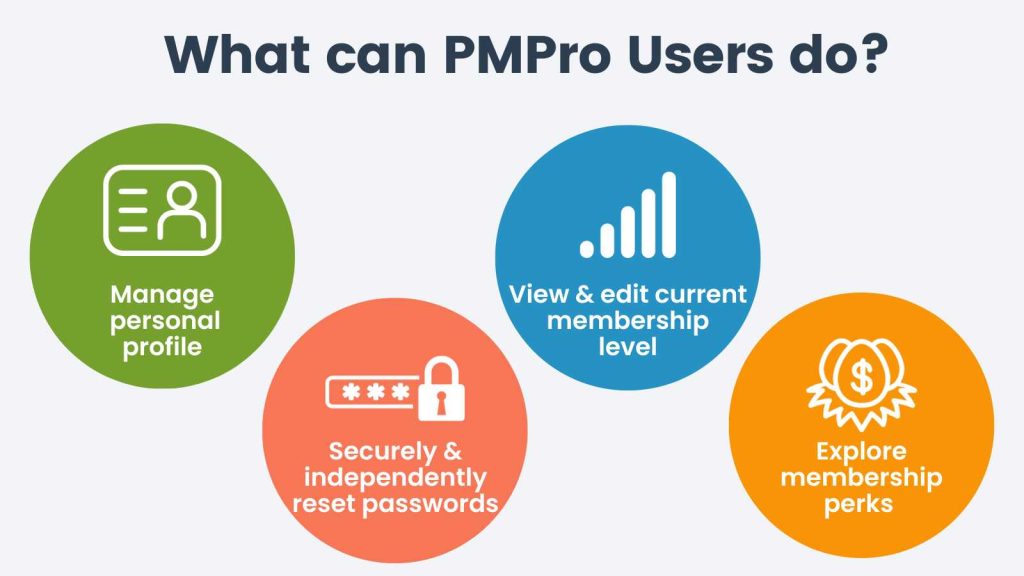
With Paid Memberships Pro, users can:
- Manage all aspects of their own profile, including custom user fields that allow you to gather additional information for your records.
- Securely login and reset a password if necessary, without any action required on your part.
- View their current membership status, levels, and all past invoices.
- View their membership perks and update or cancel their memberships.
These features make the user experience smooth on Paid Memberships Pro. And it saves a lot of time as your membership base grows. You don’t have to worry anytime someone wants to update their account.
Paid Memberships Pro Pricing
The built-in payment integrations will sync accounts and handle everything you need on that front. But as your community grows, you might be interested in adding features.The Paid Memberships Pro plugin is free to download and will install seamlessly into your new or existing WordPress site. 29+ free Add Ons are available with the free plugin, giving you everything you need to launch your membership program — from design to launching to managing a growing member base.
That includes unlimited restricted content and unlimited membership tiers with no cap on the number of members who can sign up. The built-in payment integrations will sync accounts and handle everything you need on that front. But as your community grows, you might be interested in adding features.
In that case, Paid Memberships Pro offers two paid tiers. The Standard plan is $49/month or $499/year and includes everything in the free version plus a single-site license, premium support, affiliate tracking, and all Premium Add Ons.
The Max plan is $99/month or $999/year — PMPro’s fully managed solution. It includes everything in Standard plus:
- Dedicated managed hosting
- Priority expert support
- Free site migration
- AI Skills library
- “Do It For Me” custom development help
Most sites, even large, successful ones, use PMPro at no cost outside of gateway fees. Learn more about how to use PMPro for free.
Patreon
Patreon is a monetization platform that provides membership services and allows creators and companies to centralize communities onto one platform. It is often used as a gathering point for like-minded customers to centralize and communicate directly with the Patreon account owner.
Patreon exists as a standalone product. Patreon takes a set percentage of the income its accounts holders generate based on the selected plan. At higher levels, Patreon also offers limited branded merchandise fulfillment services. It also allows you to decide when to charge customers, including allowing for recurring billing when a new post is released.
Basic Features of Patreon
Patreon charges a flat 10% platform fee on creator earnings, plus payment processing fees, currency conversion fees, and payout fees. Payment on Patreon is easy, with all major payment providers supported. Currency is automatically converted to a customer’s local currency to facilitate easy international payments.
Patreon centralizes thousands of creators and companies into a single hub, with the biggest benefit being that end users only have to sign up and input their account information once. From there, it’s a low-friction process for users to subscribe to any number of creators. But this does require the user to navigate to Patreon from somewhere else before signing up for a membership.
There are a wide range of tools available to customize payment schedules. Patreon allows creators to build out any number of tiers and set their own charging schedules. While that is typically monthly, some creators charge by the release. This feature is one that PMPro doesn’t offer. So, if your posts and releases don’t come out on a regular schedule, using Patreon with this feature might be useful. Patreon also has options for one-time payments.
Patreon handles limited merch fulfillment at the Premium level. Creators can select from many items and tie fulfillment to membership levels. Patreon then fills these orders at least quarterly. Creators can also set controls on the kinds of messages they can receive from subscribers.
Patreon User Experience
The Patreon user experience is largely contained within the confines of its website. But, some integrations are possible, such as linking with the popular social media app Discord to restrict access to chat channels based on Patreon membership. Users can also reply to creators in posts made directly on Patreon.
Users can view their current and past memberships in Patreon and access their receipts. All subscriptions can be viewed and managed at a glance on a single interface. Users can adjust or cancel their subscriptions at any time.
Patreon Price Points
Patreon charges a flat 10% platform fee on creator earnings under its standard plan, plus payment processing fees (typically 2.9% + $0.30 for standard transactions, or 5% + $0.10 for micropayments under $3), currency conversion fees, and payout fees. Creators who established pages before August 2025 may be on legacy plans (5%, 8%, or 11%), but all new creators are on the standard 10% plan.
Why Choose Paid Memberships Pro?
Paid Memberships Pro and Patreon both offer membership management services but exist for different users. Several factors make Paid Memberships Pro a stronger choice. Most notably, it’s free with direct and seamless integration directly into your WordPress site. Patreon excels at building communities on Patreon, but if your site is already on WordPress, you’ll miss out on that connection.
Paid Memberships Pro brings all the features you need to create and grow a sustainable membership community to one place. Then it slides easily into your site. Paid Memberships Pro is the membership platform that grows with you. As your membership grows, the only per-member fees you’ll have to worry about are the ones from your payment processor.
And if you’d rather not run your own site, PMPro Max gives you a fully managed membership platform at $99/month flat — dedicated hosting, security, performance, transactional email, AI Skills, and “Do It For Me” custom development. Compare that to Patreon’s 10% revenue cut: at just $1,000/month in member income, you’d pay Patreon $100 every month, forever, scaling up as you grow. Max is one flat fee, no matter how big you get.
Building a vibrant membership program takes time, and Paid Memberships Pro offers the easy-to-implement tools that you’ll need at every step along the way. If you’re ready to get started building your membership with Paid Memberships Pro, you can find case studies from some of our partners, and then you can head over to our pricing page and choose the right plan for you.
More PMPro Product Comparisons
Compare the best WordPress-based and third-party membership platforms available in this list of guides. You can use this information to learn about alternatives and make the best decision for your membership business, whether you’re just getting started or considering a migration.
- Paid Memberships Pro vs Kadence Memberships (formerly Restrict Content Pro)
- Paid Memberships Pro vs WooCommerce Memberships
- Paid Memberships Pro vs MemberPress
- Paid Memberships Pro vs Ultimate Member
- Paid Memberships Pro vs Patreon
- Paid Memberships Pro vs Substack
- Paid Memberships Pro vs Memberful
- Paid Memberships Pro vs MemberMouse
- Paid Memberships Pro vs Wild Apricot
- Paid Memberships Pro vs AccessAlly
- Paid Memberships Pro vs BuddyBoss
- Paid Memberships Pro vs Easy Digital Downloads
- Paid Memberships Pro vs Shopify
- Paid Memberships Pro vs s2Member


