
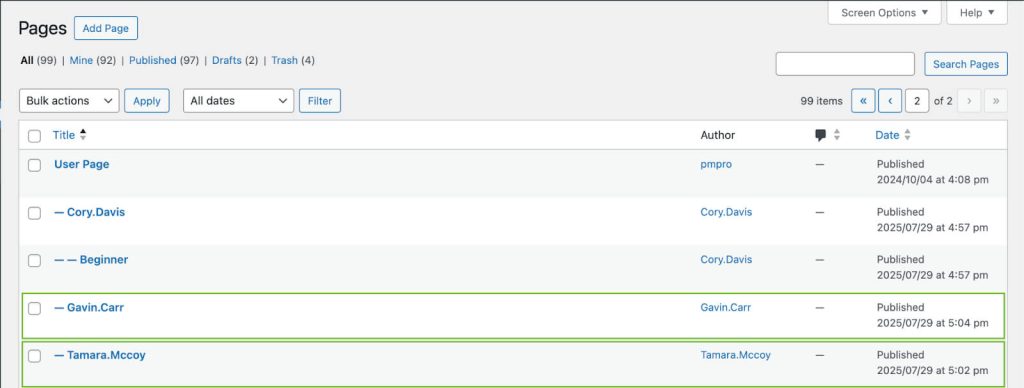
The User Pages Add On is a powerful way to give members a private page tied to their account. By default, it creates a new page for every level a member purchases, which can quickly lead to clutter if you offer multiple levels or upsells.
This code recipe shows you how to modify the default behavior to only create a single user page per member, regardless of how many levels they purchase. This is ideal for sites that want to maintain one central page for each user instead of multiple-level specific pages.
Understanding the pmpro_user_page_purchase_postdata Filter
The pmpro_user_page_purchase_postdata filter lets you modify the content or details of a user page that’s automatically created when a member signs up for a membership level. This makes it useful for customizing what shows up on a member’s page, such as changing the title, adding extra content, or controlling how many user pages are created for each member.
About the Code Recipe
This code recipe ensures that only one user page is created for a specific member regardless of how many membership levels that member may sign up for. It clears the default parameters for page creation, so no extra pages are generated, keeping your site clean and avoiding duplicate content.
The Code Recipe (PHP)
Adding the Recipe to Your Website
You can add this recipe to your site by creating a custom plugin or using the Code Snippets plugin available for free in the WordPress repository. Read this companion article for step-by-step directions on either method.
How to Customize This Code Recipe
To get this code recipe working on your site, ensure your Top Level User page has been created and assigned accordingly by navigating to Memberships > User Pages in your WordPress admin.
You can extend this recipe further by adding conditional logic to determine when the page should or should not be created. For example, you could check for a specific membership level ID and only skip creating level pages for that level while leaving the default behavior intact for other membership levels.
Video: Coding with Sam Walkthrough

Get Support From Our Team of Experts
Have a question about how to use this feature? Our Support Page outlines three ways to get support.
Our Max plans include hands-on help customizing your membership site and implementing new features. Upgrade to PMPro Max now »


